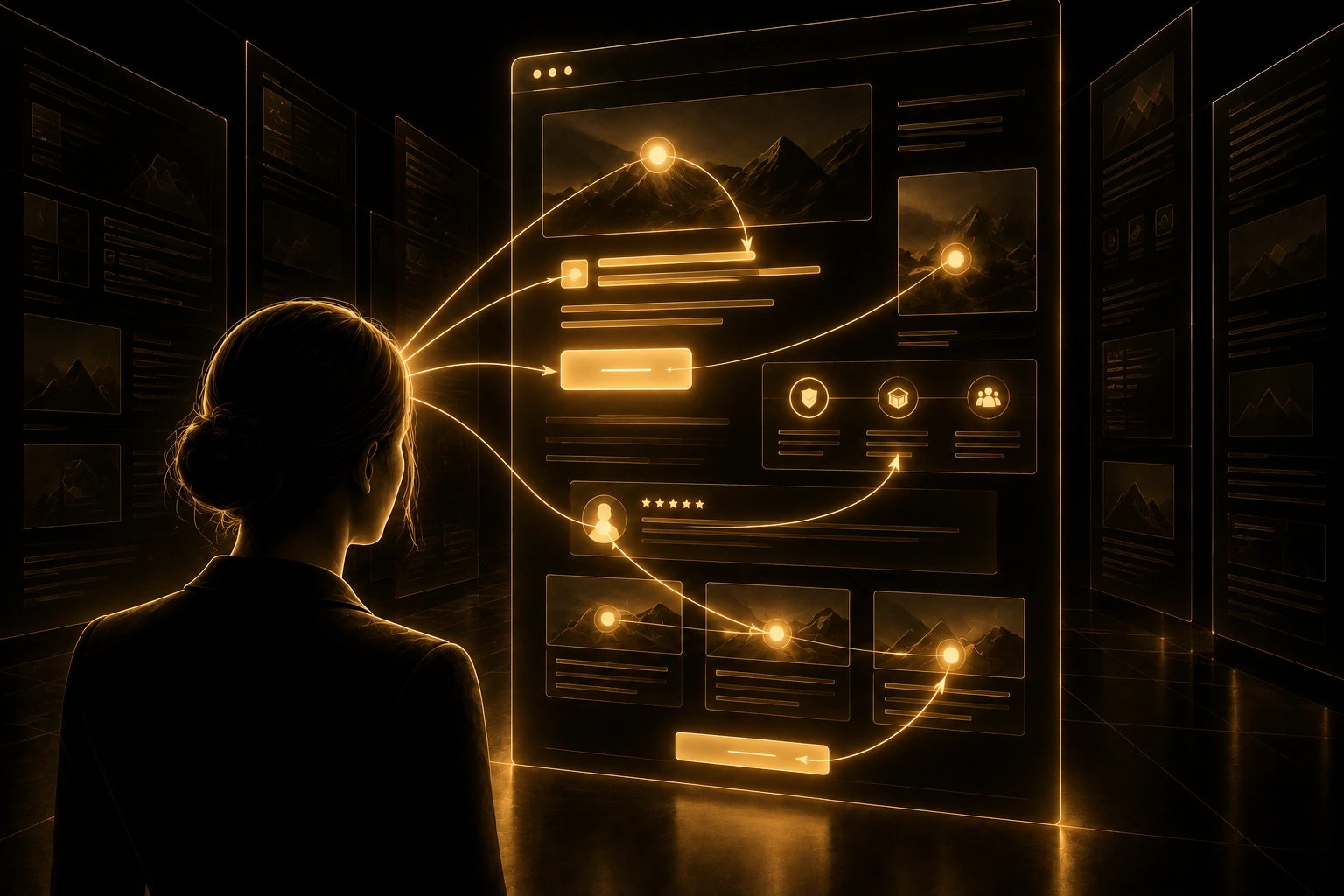
Designing for Real Reading Behaviour
People rarely read websites the way they read books.
They scan.
They glance at headlines.
Skip paragraphs.
Notice bold words.
Look for familiar terms.
Jump between sections.
Search for proof.
Look for the next relevant decision.
And often decide within seconds whether the page deserves more attention.
This changes how websites should be designed.
Because a page can contain excellent information and still fail if users cannot quickly recognise what matters.
The problem is not always poor content.
Sometimes the content is simply hidden inside weak structure.
Dense paragraphs.
Generic headings.
Weak hierarchy.
Long introductions.
Important information buried too far down.
When users scan, they are not necessarily being impatient.
They are trying to determine whether the page is relevant before investing more attention.
Scanning is therefore not a failure of reading.
It is a strategy.
Good web design respects that strategy.
Scanning Is How Users Decide What Deserves Attention
Attention is expensive.
Every website competes with:
Notifications.
Other tabs.
Search results.
Email.
Social media.
Work.
Interruptions.
And the user’s own uncertainty about whether the page is worth reading.
This means visitors rarely begin by giving a page their full attention.
They first test it.
Does this look relevant?
Can I understand the topic quickly?
Does this answer my question?
Is there anything useful here?
Should I continue?
Scanning helps them answer those questions efficiently.
A strong page therefore needs to communicate at more than one depth.
The first layer should work when someone only scans.
The deeper layer should reward people who decide to read.
This is one reason clear websites convert better.
If the important meaning survives scanning, users can recognise relevance faster.
Headings Are Navigation, Not Decoration
A heading does more than introduce a section.
It helps users decide whether the section deserves attention.
Weak headings often describe structure without communicating meaning.
“Our Approach.”
“Solutions.”
“What We Do.”
“More Information.”
These headings tell users very little.
Compare them with:
“Why Clear Positioning Reduces Decision Friction.”
“How Our Website Process Reduces Rework.”
“When a Custom Website Makes More Sense Than a Template.”
The second group gives users information before they read the section.
This matters because headings form the skeleton of a page.
A visitor may read every heading and only two paragraphs.
If the headings are strong, they can still understand the core argument.
If the headings are vague, the page becomes harder to evaluate.
Descriptive headings therefore reduce cognitive effort.
They act as landmarks.
Users Look for Recognition Before They Look for Detail
Scanning is strongly driven by recognition.
People look for words that match their goals.
A business owner researching website costs may notice:
Pricing.
Investment.
ROI.
Custom development.
Maintenance.
A marketing manager may notice:
Conversion.
Lead generation.
SEO.
Campaign performance.
Analytics.
These terms act as signals.
They tell the visitor:
“This page may contain something relevant to you.”
This is why vague language can weaken usability.
Abstract copy may sound sophisticated while removing the words people are actually looking for.
“Accelerating digital potential.”
May sound polished.
But someone looking for a custom website is scanning for:
Web design.
Development.
UX.
WordPress.
Website strategy.
Clear language improves recognition.
Recognition reduces the effort required to establish relevance.
Visual Hierarchy Determines What Gets Seen First
Scanning behaviour is shaped by visual weight.
Large elements attract attention before small ones.
Contrast creates emphasis.
Whitespace separates ideas.
Position affects visibility.
Images can redirect attention.
Buttons create decision signals.
This means visual hierarchy determines the order in which information is likely to be noticed.
That order should be intentional.
If a decorative headline dominates the page while the actual value proposition is small, the interface has prioritised aesthetics over understanding.
If three calls to action compete with the main message, attention becomes fragmented.
If every section looks equally important, the user has to establish priority independently.
That increases cognitive load.
Strong UX Architecture™ uses visual hierarchy to guide attention.
The interface helps users understand:
Start here.
This matters next.
This supports the claim.
This is the next action.
Scanning becomes easier because the page is doing part of the prioritisation for the visitor.
Paragraph Structure Changes How Difficult Content Feels
Two pages can contain the same number of words and feel completely different.
One may feel accessible.
The other may feel overwhelming.
Paragraph structure is one reason.
Large blocks of text create visual density.
The user sees effort before they see meaning.
Shorter paragraphs create entry points.
They allow the eye to pause.
They make individual ideas easier to identify.
This does not mean every sentence should be isolated.
Nor does it mean complex arguments should be reduced to shallow fragments.
The goal is readability.
One idea should lead clearly into the next.
Important shifts should be visible.
The visitor should not need to excavate the argument from a wall of text.
This is especially important for educational content.
Long-form articles can create significant value.
But only when the structure allows readers to enter at different levels of attention.
A good article can be scanned quickly.
Then read deeply.
Those experiences should support each other.
Users Scan for Proof Before They Commit
Once a visitor understands the basic offer, another question appears.
“Can I believe this?”
This changes scanning behaviour.
People start looking for proof.
Testimonials.
Case studies.
Client logos.
Results.
Process information.
Team expertise.
Security signals.
Clear contact details.
Relevant certifications.
This is why trust content should not be buried.
If proof is difficult to find, visitors may never reach it before making a decision.
Strong pages place relevant trust signals near the claims they support.
A performance claim can sit beside measurable evidence.
A service description can link to a relevant case study.
A high-commitment call to action can be supported by a clear explanation of what happens next.
As explored in How Trust Signals Influence Online Decisions, trust develops through accumulated evidence.
Scanning determines whether that evidence is actually noticed.
Calls to Action Need to Survive the Scan
A page may contain an excellent call to action.
But if users cannot find it, its quality becomes irrelevant.
This does not mean every section needs a large button.
Too many calls to action can create the opposite problem.
They compete.
The user sees:
Book a Call.
Download the Guide.
View Pricing.
Contact Us.
Learn More.
See Our Work.
And now has another decision to make.
Strong Decision Architecture™ gives actions hierarchy.
The primary action is easy to recognise.
Secondary actions support different stages without competing equally.
Placement matters too.
A call to action should appear after enough context has been established.
Too early, and the visitor may not be ready.
Too late, and they may never reach it.
The best placement follows the decision journey rather than an arbitrary page template.
Scanning Patterns Change With Intent
Not every visitor scans the same way.
Intent changes attention.
Someone researching broadly may explore several sections.
Someone comparing suppliers may jump directly to:
Pricing.
Case studies.
Process.
Testimonials.
Someone already familiar with the company may go straight to contact.
A returning visitor may ignore most introductory content completely.
This is why websites should support multiple entry points into the same decision journey.
The page should work for the person who reads from the beginning.
But also for the person who arrives through search and lands halfway down.
For the visitor who wants evidence first.
For the user who wants to understand the process.
And for the person ready to act.
Strong information architecture makes each section understandable enough to stand within the larger page.
Users should not need to read every previous paragraph before a later section becomes useful.
A Real-World Example
Imagine two service pages containing almost identical information.
The first contains long paragraphs.
Generic headings.
A large introductory section.
Testimonials grouped near the footer.
One call to action at the bottom.
A visitor scans the page.
They see:
“Our Services.”
“Our Process.”
“Why Us.”
The headings offer little information.
The visitor has to read each section to discover whether it matters.
The second page uses headings such as:
“A Custom Website Is Most Valuable When Your Business Has Outgrown Generic Structures.”
“Our Process Reduces Rework Before Development Begins.”
“Case Studies Show How Structure Affects Business Outcomes.”
The same visitor can scan these headings and understand the page’s main argument.
If one point feels relevant, they can stop and read more deeply.
The amount of information has barely changed.
The accessibility of that information has.
That is the power of designing for scanning.
The AETHER Perspective
At Bureau AETHER, we do not design pages under the assumption that every visitor will read every word.
That would ignore real behaviour.
Instead, we ask:
What can someone understand from the headings alone?
Which words will signal relevance?
Where will attention naturally move?
Which proof needs to remain visible?
What happens if someone skips this section?
Can the primary decision still be understood?
This is where scanning behaviour connects with UX Architecture™, Decision Architecture™ and Digital Friction™.
UX Architecture™ creates a structure that remains understandable at different depths.
Decision Architecture™ ensures the important decisions have enough context and visibility.
Digital Friction™ reveals where poor structure forces unnecessary reading, searching or interpretation.
The objective is not to optimise for short attention spans.
It is to respect how people allocate attention.
For a custom website, that means building pages that reveal meaning quickly without sacrificing depth.
Conclusion & Final Thought
People scan websites because attention has value.
Before they invest that attention, they look for signs that the page deserves it.
Clear headings.
Recognisable language.
Strong hierarchy.
Relevant proof.
Visible next steps.
Readable structure.
These elements help users understand a page before they decide how deeply to engage with it.
Good web design therefore works at two speeds.
It communicates quickly enough to survive the scan.
And provides enough depth to reward closer reading.
Do not design every page for someone who will read every word.
Design it so the right meaning remains visible even when they do not.